


Introduction
When it comes to modern video meetings, clarity and speed are everything. That’s where the Yealink VCH51 content sharing device comes in. It’s the handy little tool that quietly makes a huge difference in hybrid meeting rooms. But how exactly does it work? Whether you’re presenting slides or sharing your screen in real time, this plug-and-play box makes content sharing feel almost magical. Let’s walk through how this device transforms a typical meeting setup into something much more powerful.
Table of Contents
- Introduction
- What is the Yealink Sharing Box VCH51?
- How the Yealink VCH51 Content Sharing Device Works
- Simple Plug-and-Play Setup
- Compatibility Across Devices
- HDMI and USB-C Inputs Explained
- Ideal for Hybrid Meetings
- VCH51 Integration with Conference Rooms
- Top Features of the Yealink VCH51
- User Experience and Performance Review
- Where to Buy the Yealink VCH51
- Conclusion
- FAQs
What is the Yealink Sharing Box VCH51?
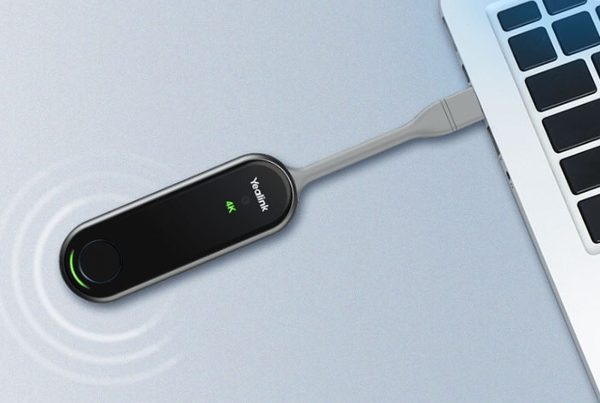
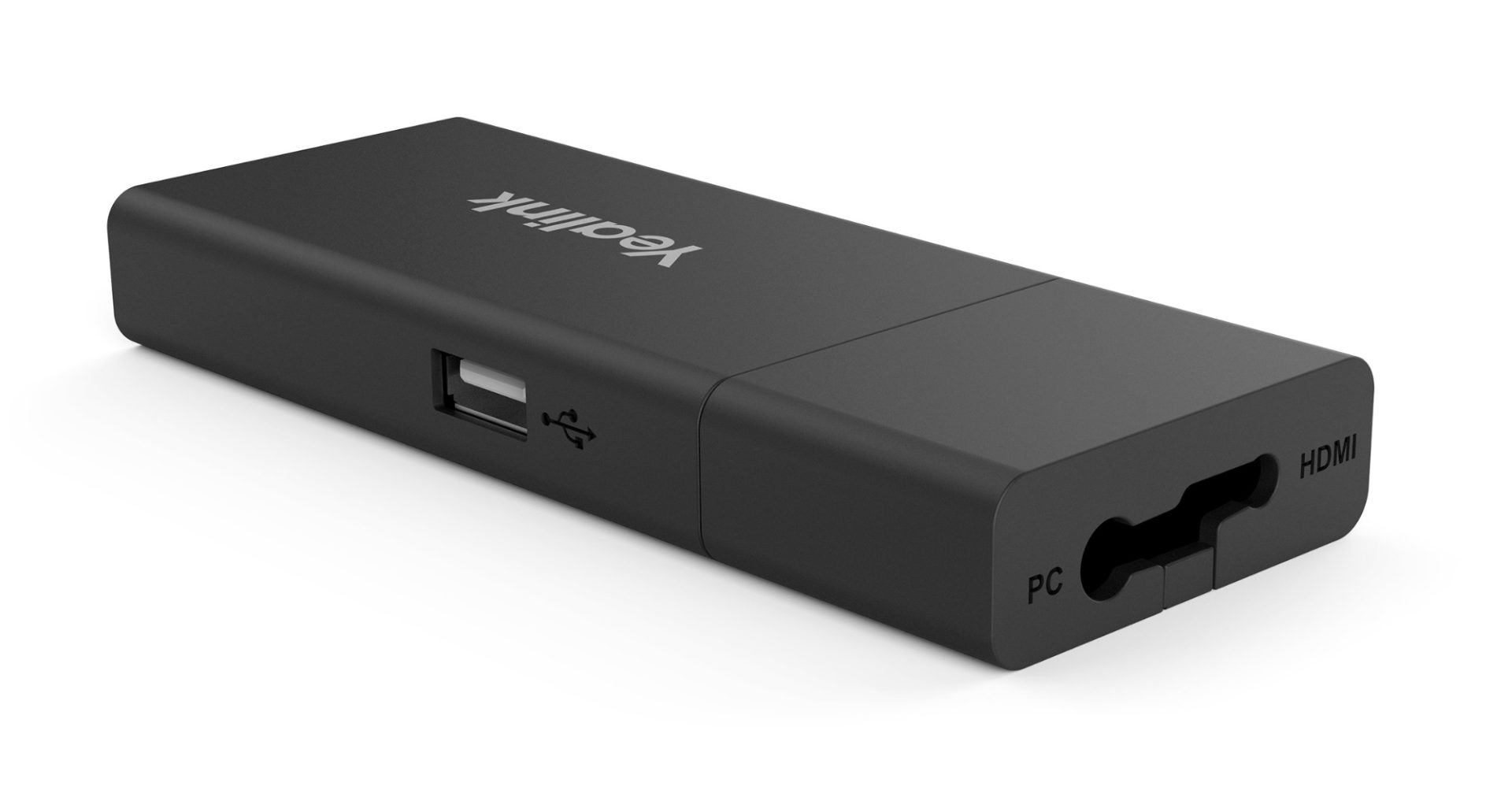
Think of the VCH51 as a smart bridge. It connects your laptop or device to your meeting room system—like a translator for screens. You don’t need special drivers or software. It’s a small, elegant hub designed to deliver content directly to a display in seconds. You plug it in, and you’re good to go.
This Yealink sharing solution is compact but built to handle big tasks. It supports both USB-C and HDMI input, allowing you to share screens from laptops, tablets, or even smartphones. No complicated settings, no fumbling around.
How the Yealink VCH51 Content Sharing Device Works
Let’s break it down simply. When you connect the VCH51 to your personal device, it captures your screen via HDMI or USB-C. Then, it communicates with your Yealink video conferencing system and displays the shared content on the meeting room display.
It uses DisplayLink technology for smooth visuals and supports 4K quality, meaning your presentation stays sharp and clean. It’s like handing over your screen to the room—instantly.
Simple Plug-and-Play Setup
No one likes fiddling with settings right before a meeting. The plug and play Yealink sharing box solves that. Simply:
- Plug the USB-C or HDMI into your laptop
- Connect the device to the Yealink video bar or system
- Start sharing content
That’s it. It’s fast, intuitive, and saves you from awkward silences during meetings.
Compatibility Across Devices
One of the biggest perks? Its flexibility. The Yealink VCH51 compatibility covers Windows and macOS, and it supports various meeting platforms like Microsoft Teams, Zoom, and more.
Whether you’re using an old laptop or a new MacBook Pro, this device understands both. It bridges the gap between user devices and professional meeting systems effortlessly.
HDMI and USB-C Inputs Explained
What if you’re unsure whether to use USB-C or HDMI? Here’s a quick breakdown:
- USB-C: Ideal for newer devices. One cable handles power, video, and data.
- HDMI: Great for traditional laptops or when you need crystal-clear video.
The VCH51 supports both. That means it’s ready for almost any device you bring to the table.
Ideal for Hybrid Meetings
Hybrid meetings demand smooth transitions between in-person and remote experiences. The VCH51 for hybrid meetings ensures everyone sees the same content clearly, whether they’re in the room or calling in from afar.
No screen delay, no video glitches. Just crisp, real-time sharing that keeps everyone on the same page—literally.
VCH51 Integration with Conference Rooms
The Yealink conference room integration is seamless. The device connects directly to your MVC series, MeetingBar A20/A30, or VC800 system. Once connected, you don’t need extra hardware.
It becomes part of your meeting room’s brain, handling content from multiple sources and streaming it with zero fuss. It’s designed to work silently in the background while you focus on your meeting.
Top Features of the Yealink VCH51
Here’s what sets it apart:
- Multi-device support
- HDMI input device for 4K quality
- Simple plug-in functionality
- Compatible with Yealink MeetingBar and MVC kits
- Supports wireless presentation (when used with WPP30)
- Small form factor, big performance
This Yealink USB-C sharing tool may be small, but it’s built like a professional multitasker.
User Experience and Performance Review
Users praise its simplicity, especially in fast-paced meeting environments. No lag. No learning curve. Just plug, share, and present.
In multiple reviews, users mention that it outperforms many other sharing solutions thanks to how it automatically adjusts to the room system. That makes it perfect for busy professionals, school presentations, and even remote learning setups.
Where to Buy the Yealink VCH51
Ready to make your meetings smarter? You can shop Yealink Sharing Box VCH51 Package directly on Promallshop. There, you can check the current price, compare specs, and even browse similar Yealink video meeting accessories.
For more helpful insights on other devices, explore the Promallshop blog.
Conclusion
The Yealink VCH51 content sharing device takes the stress out of content sharing. Whether you’re in a corporate boardroom or a hybrid classroom, it helps your ideas flow smoothly. With its plug-and-play simplicity, multi-device compatibility, and crystal-clear video support, it’s truly a must-have in today’s conferencing world.
Next time you’re setting up a meeting, remember—you don’t need to be tech-savvy to impress. You just need the right tools.
FAQs
1. Can I use the Yealink VCH51 with a MacBook?
Yes, the VCH51 works perfectly with macOS devices using the USB-C connection.
2. Does the Yealink VCH51 require software installation?
No, it’s a plug-and-play device. No extra drivers or software are needed.
3. Can I use VCH51 with non-Yealink systems?
It’s optimized for Yealink systems, but limited compatibility may exist depending on the setup.
4. What resolution does the Yealink VCH51 support?
It supports resolutions up to 4K, delivering sharp and vibrant visuals.
5. Is it suitable for large conference rooms?
Absolutely. It integrates smoothly with large Yealink video setups and supports smooth screen sharing for big rooms.